
How to add an accountant user to Quickbooks Online
Adding Accountants to QuickBooks Online
1. Ensure your QuickBooks Online company is open and you are at the company's home page.
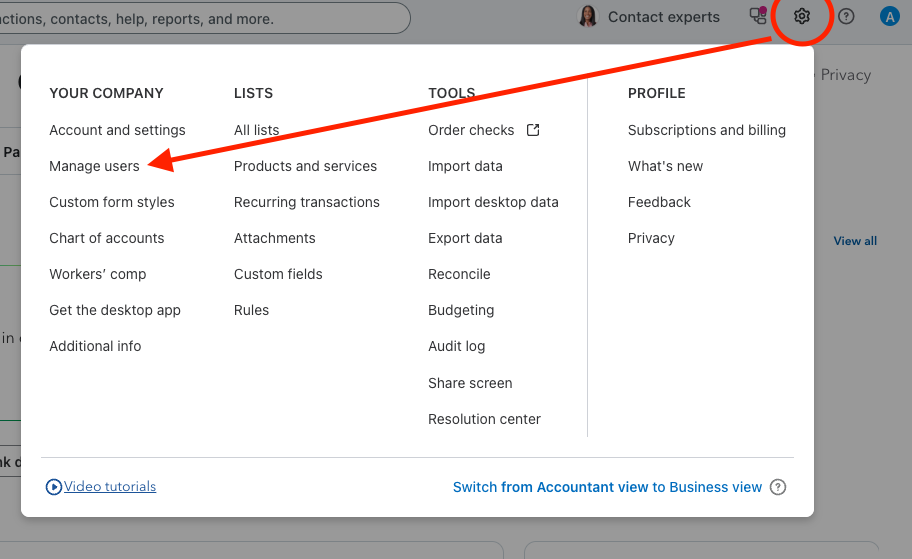
2. Select the gear icon in the top right corner of the screen. Select the Manage Users option under the Your Company column.
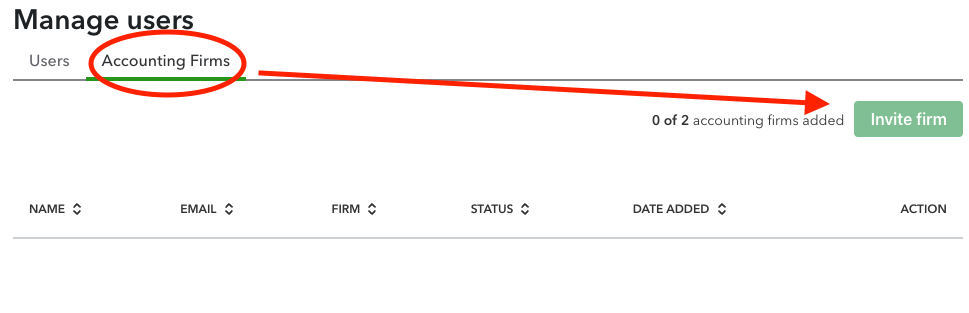
3. Select Accounting Firms (not users) and then select ‘Invite Firm’.
4. Enter the accountant’s email address located in your client portal information and their full name.
5. Select next.
6. Select finish.
7. Your bookkeeper will receive an email invitation and will handle the rest on their end.